
DAO Operations
Create and manage Decentralized Autonomous Organizations (DAOs) for your device network.
Creating a DAO
Using the Solidity IDE
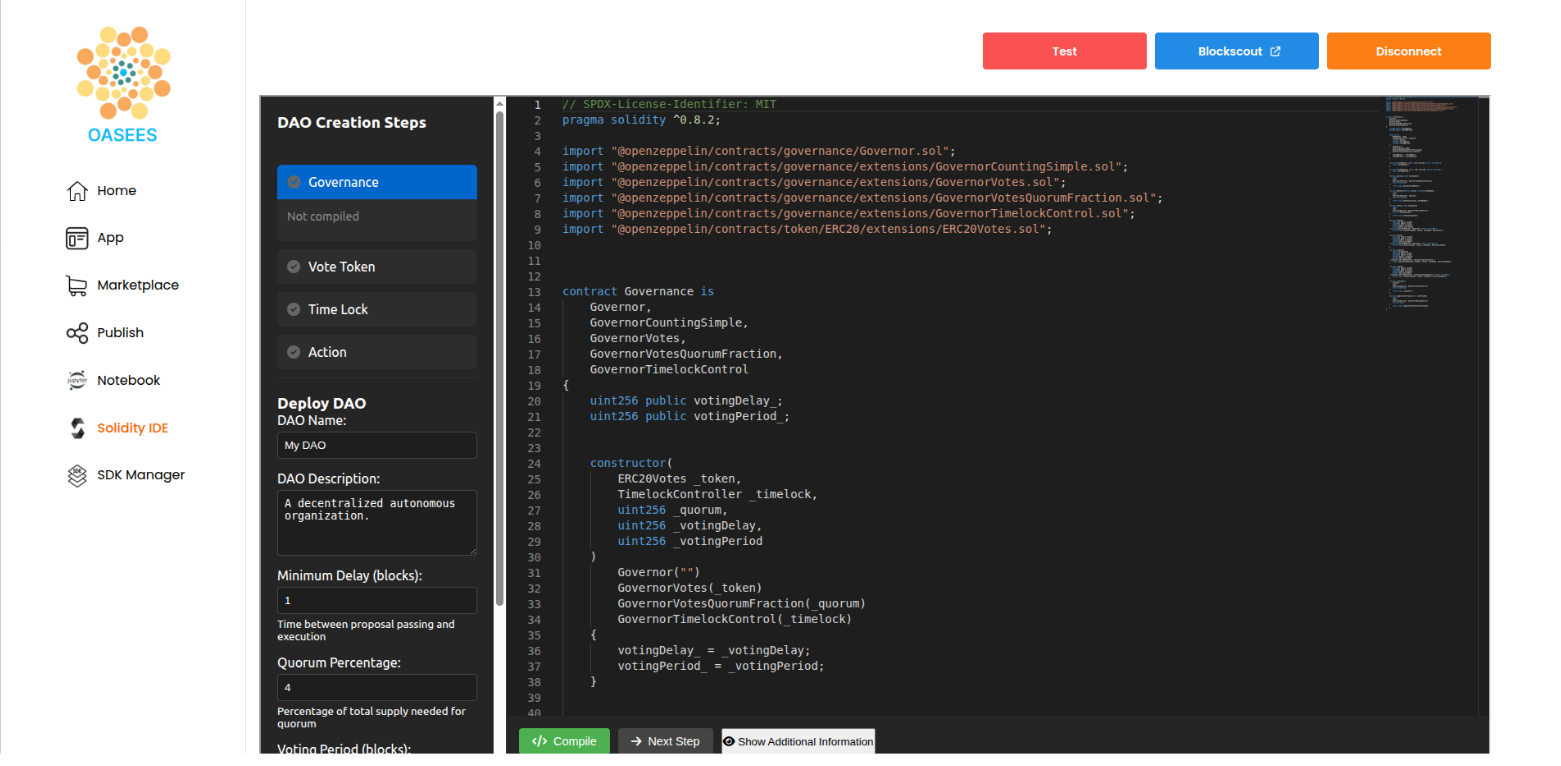
From the OASEES portal, you can create and deploy a DAO using the integrated Solidity IDE:
- Navigate to the Solidity IDE section in the portal
- Follow the DAO Creation Steps:
- Governance: Configure voting mechanisms
- Vote Token: Set up voting tokens
- Time Lock: Define time-based constraints
- Action: Configure action parameters
- Click Deploy DAO with your chosen parameters:
- DAO Name: Choose a descriptive name
- DAO Description: Document your DAO’s purpose
- Minimum Delay (Blocks): Time before proposal execution
- Quorum Percentage: Minimum ‘For’ votes required for the proposal to pass
Example Configuration
DAO Name: Sensor DAO
Description: A decentralized load balancing DAO
Minimum Delay: 1 block
Quorum Percentage: 4%
Percentage of total supply needed for votes to pass: 50%
Interacting with Your DAO
After deployment, interact with your DAO from the Home page of the portal.
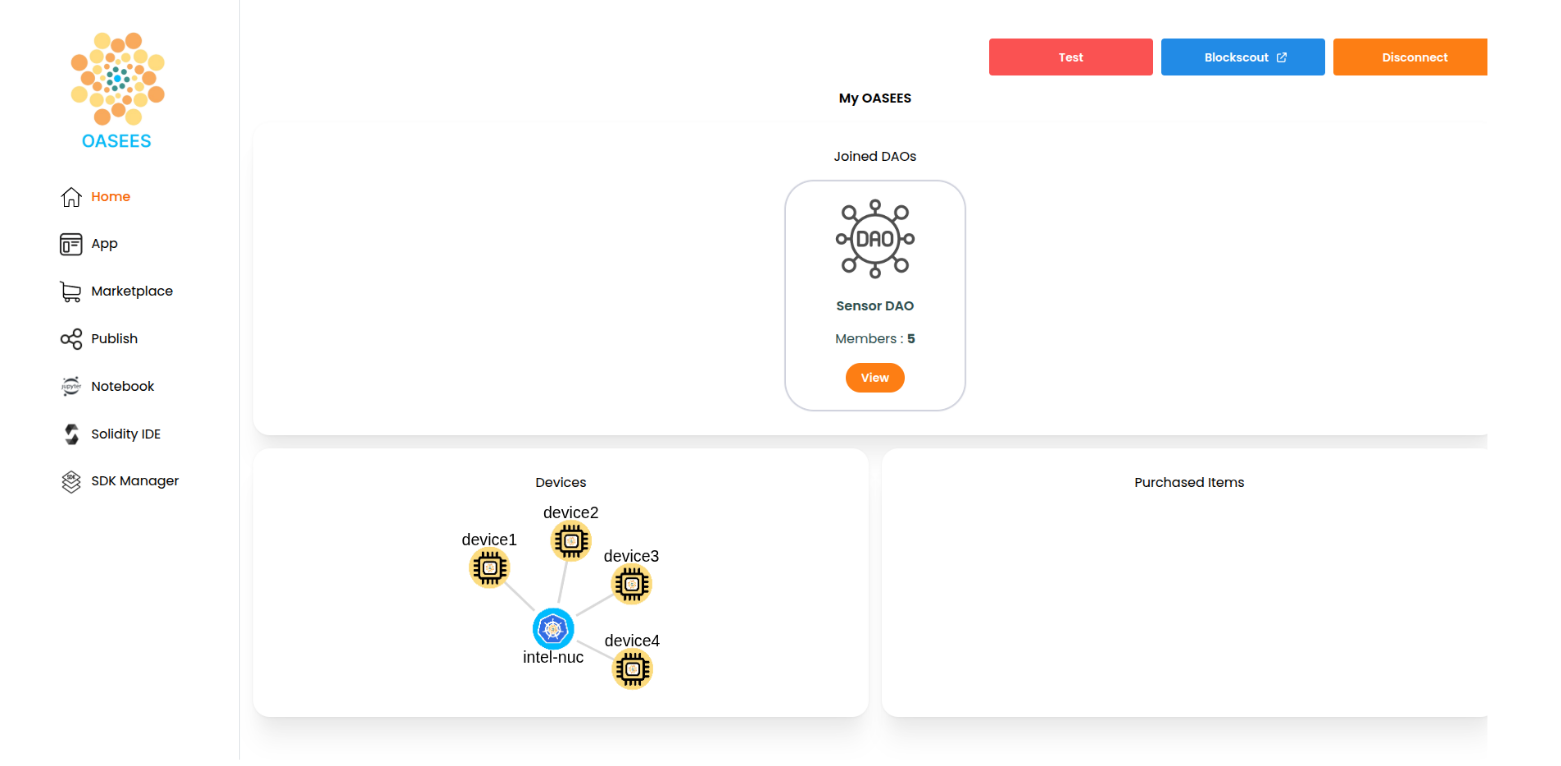
Managing Device Membership
Adding Devices to the DAO
- Navigate to your DAO in the portal
- Click Manage to access the management interface
- View Available devices section
- For each device, assign Vote Tokens:
- Click the token amount field
- Enter the desired number of tokens
- Click Save
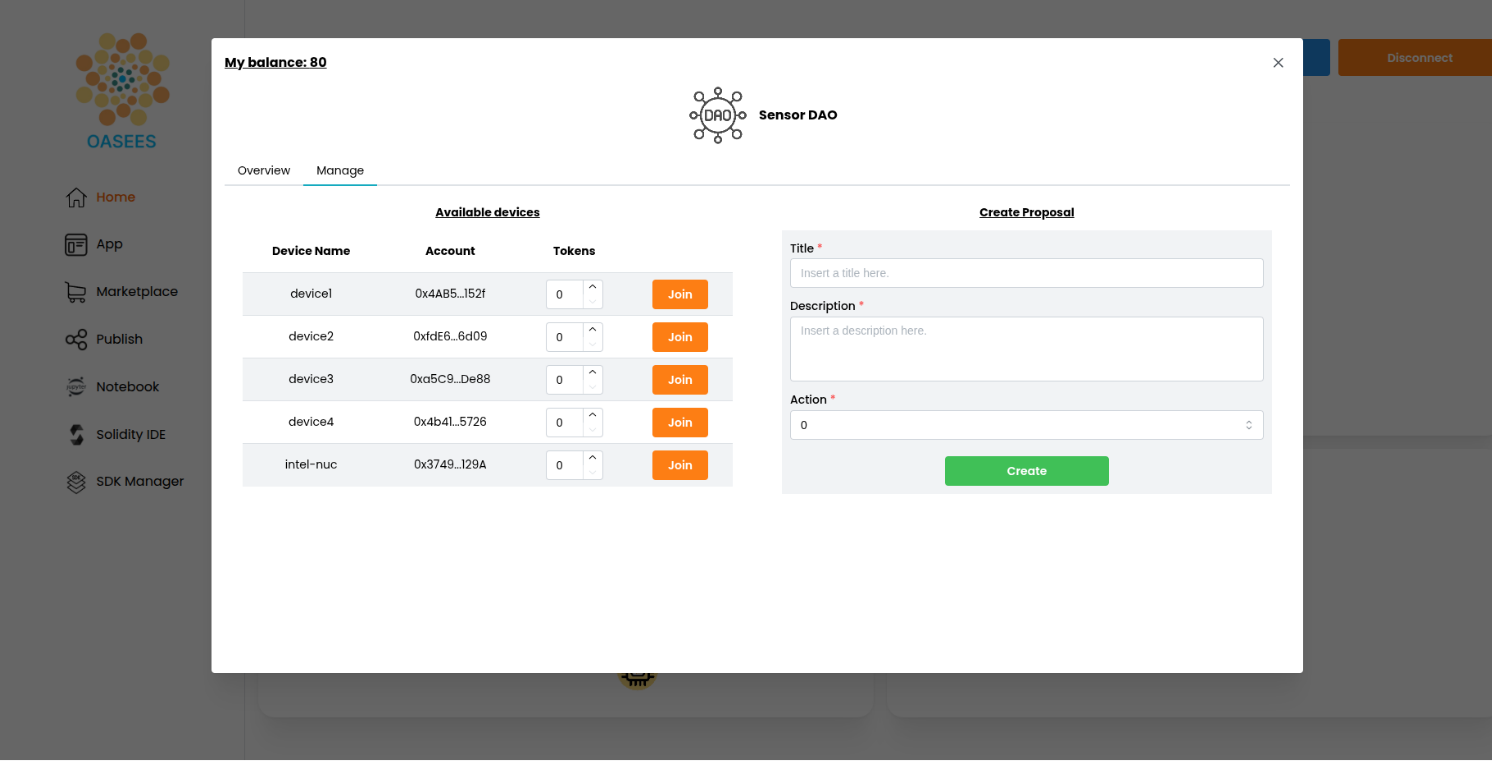
Creating Proposals
Proposals can be created through:
- Agent Configuration: Automatic proposals based on metrics
- Portal Interface: Manually create proposals through the UI
If you want your devices to vote on a manually created proposal, make sure your proposal Title matches one of the device configuration ones (see DAO Workflow).
Troubleshooting
Proposal Not Executing
- Check if time lock period has passed
- Verify quorum was reached
- Ensure approval threshold was met
- Check blockchain transaction status
Device Can’t Vote
- Verify device has vote tokens
- Check device is DAO member
- Ensure Metamask is properly configured
- Verify blockchain connection