
Metamask Configuration
Blockchain Account Distribution
Only the account addresses are provided in this section. For the accounts’ private keys, refer to the initial OASEES Stack & SDK Guide that was distributed via email.
The blockchain network is common for ALL use-cases. Accounts are personal for each use-case. Choose one account from your designated UC and do not use accounts from other UCs, as you will interfere with other DAOs.
UC1 Accounts
| No | Account |
|---|---|
| 22 | 0x08135Da0A343E492FA2d4282F2AE34c6c5CC1BbE |
| 23 | 0x5E661B79FE2D3F6cE70F5AAC07d8Cd9abb2743F1 |
| 24 | 0x61097BA76cD906d2ba4FD106E757f7Eb455fc295 |
| 25 | 0xDf37F81dAAD2b0327A0A50003740e1C935C70913 |
| 26 | 0x553BC17A05702530097c3677091C5BB47a3a7931 |
UC2 Accounts
| No | Account |
|---|---|
| 27 | 0x87BdCE72c06C21cd96219BD8521bDF1F42C78b5e |
| 28 | 0x40Fc963A729c542424cD800349a7E4Ecc4896624 |
| 29 | 0x9DCCe783B6464611f38631e6C851bf441907c710 |
| 30 | 0x1BcB8e569EedAb4668e55145Cfeaf190902d3CF2 |
| 31 | 0x8263Fce86B1b78F95Ab4dae11907d8AF88f841e7 |
UC3 Accounts
| No | Account |
|---|---|
| 32 | 0xcF2d5b3cBb4D7bF04e3F7bFa8e27081B52191f91 |
| 33 | 0x86c53Eb85D0B7548fea5C4B4F82b4205C8f6Ac18 |
| 34 | 0x1aac82773CB722166D7dA0d5b0FA35B0307dD99D |
| 35 | 0x2f4f06d218E426344CFE1A83D53dAd806994D325 |
| 36 | 0x1003ff39d25F2Ab16dBCc18EcE05a9B6154f65F4 |
UC4 Accounts
| No | Account |
|---|---|
| 37 | 0x9eAF5590f2c84912A08de97FA28d0529361Deb9E |
| 38 | 0x11e8F3eA3C6FcF12EcfF2722d75CEFC539c51a1C |
| 39 | 0x7D86687F980A56b832e9378952B738b614A99dc6 |
| 40 | 0x9eF6c02FB2ECc446146E05F1fF687a788a8BF76d |
| 41 | 0x08A2DE6F3528319123b25935C92888B16db8913E |
UC5 Accounts
| No | Account |
|---|---|
| 42 | 0xe141C82D99D85098e03E1a1cC1CdE676556fDdE0 |
| 43 | 0x4b23D303D9e3719D6CDf8d172Ea030F80509ea15 |
| 44 | 0xC004e69C5C04A223463Ff32042dd36DabF63A25a |
| 45 | 0x5eb15C0992734B5e77c888D713b4FC67b3D679A2 |
| 46 | 0x7Ebb637fd68c523613bE51aad27C35C4DB199B9c |
UC6 Accounts
| No | Account |
|---|---|
| 47 | 0x3c3E2E178C69D4baD964568415a0f0c84fd6320A |
| 48 | 0x35304262b9E87C00c430149f28dD154995d01207 |
| 49 | 0xD4A1E660C916855229e1712090CcfD8a424A2E33 |
| 50 | 0xEe7f6A930B29d7350498Af97f0F9672EaecbeeFf |
| 51 | 0x145e2dc5C8238d1bE628F87076A37d4a26a78544 |
Metamask Connection Setup
1. Import one of your given accounts via its Private Key
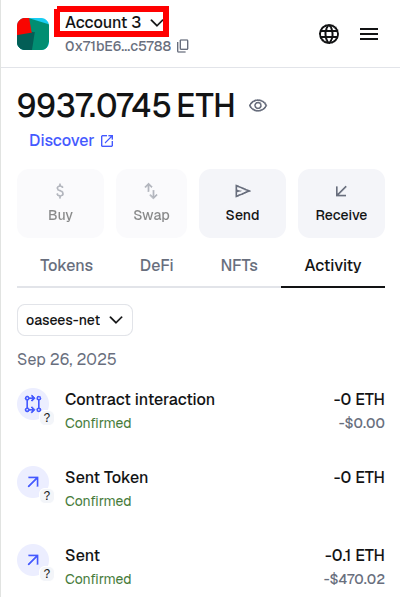
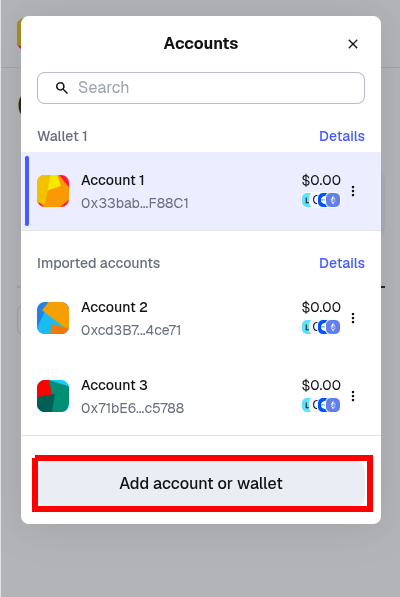
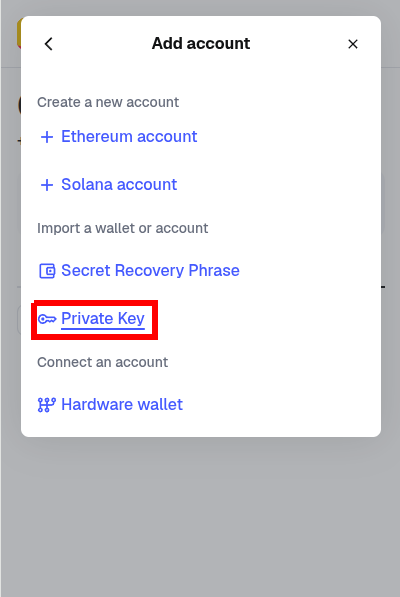
2. Add the OASEES Network as a custom network
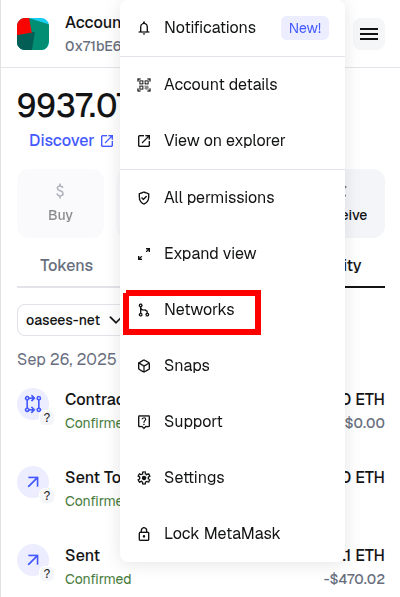
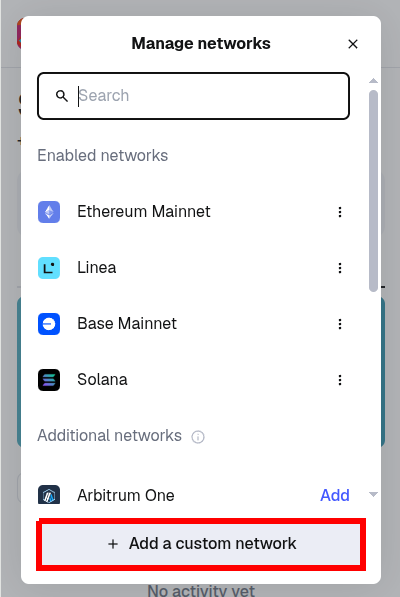
- Network name:
oasees-net(or whichever name you want) - Default RPC URL:
http://<BLOCKCHAIN_IP>:8545 - ChainID: 31337
- Currency symbol: ETH
- Block explorer URL:
http://<BLOCKCHAIN_IP>:8082